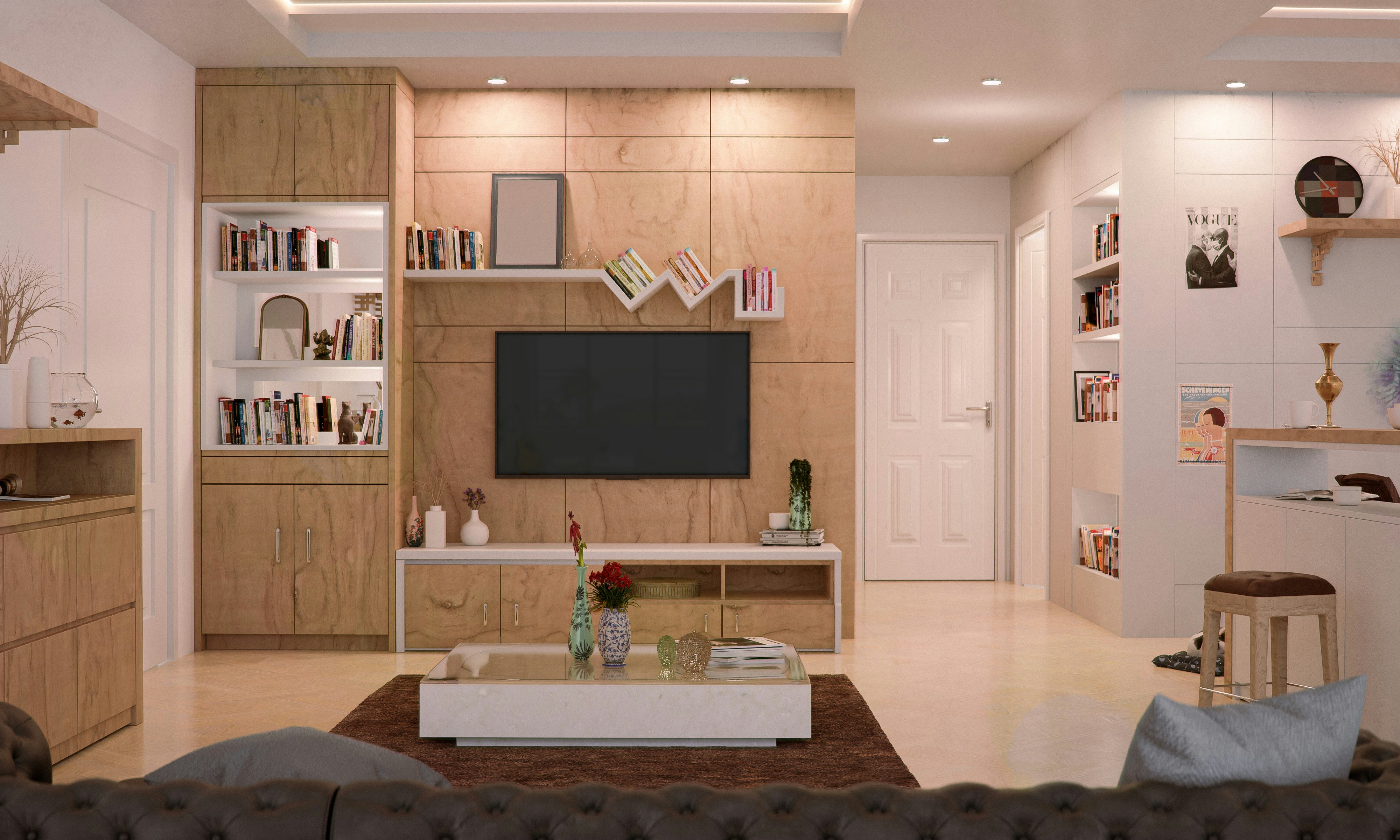
Perfect TV Room Lighting Setup
Create the ultimate viewing experience with proper ambient and bias lighting
Quick Summary
- Bias lighting reduces eye strain and improves perceived contrast
- Avoid direct light on the TV screen
- Smart lighting can sync with your content
- Proper ambient lighting enhances the viewing experience
The difference between a good TV setup and a great one often comes down to lighting. Proper lighting not only enhances picture quality and reduces eye strain but also creates an immersive atmosphere that transforms your living room into a true home theater. This guide will show you how to achieve professional-level TV room lighting on any budget.
Understanding TV Room Lighting Basics
Before diving into specific setups, it's crucial to understand how lighting affects your viewing experience and why it matters more than you might think.
Why Lighting Matters
- Reduces eye strain: Proper ambient lighting prevents your eyes from constantly adjusting between bright screen and dark room
- Improves perceived contrast: The right backlighting can make blacks appear deeper and colors more vibrant
- Creates atmosphere: Lighting sets the mood for different viewing experiences
- Protects your vision: Watching TV in complete darkness can cause eye fatigue and headaches
Types of TV Room Lighting
1. Bias Lighting (Behind the TV)
Bias lighting is the most important element of TV room lighting. This is the light placed directly behind your TV that creates a gentle glow around the screen.
Pro Tip: The ideal bias light color temperature is 6500K (daylight), which matches the white point calibration of most TVs. This prevents color perception issues.
Bias Lighting Options
- LED light strips: Affordable and easy to install, stick directly to TV back
- Dedicated bias lights: Professional-grade options with precise color temperature
- Smart RGB strips: Can change colors but should be set to 6500K for viewing
- TV-mounted lights: Clip-on options that don't require adhesive
2. Ambient Lighting (Room Lighting)
Ambient lighting fills the room with soft, indirect light that complements your bias lighting without creating glare on the screen.
Best Ambient Lighting Practices
- Use dimmable lights to adjust brightness for different content
- Position lights to avoid direct reflection on the TV screen
- Warm white (2700-3000K) creates a cozy atmosphere
- Place lights at different heights for layered lighting
3. Accent Lighting
Accent lighting adds visual interest and can highlight architectural features or decor in your TV room.
- Wall washers: Create dramatic effects on textured walls
- Shelf lighting: Illuminate collectibles or media storage
- Cove lighting: Hidden LED strips in ceiling recesses
- Floor uplights: Add depth to corners
Setting Up Your Bias Lighting
Step-by-Step Installation
- Clean the TV back: Ensure the surface is dust-free for good adhesion
- Measure and cut: If using LED strips, measure the TV perimeter minus 2-4 inches from edges
- Plan the route: Start from the bottom corner nearest the power source
- Apply strips: Follow the TV edge, leaving space at corners for bending
- Connect power: Use the TV's USB port if available for automatic on/off
- Test and adjust: Fine-tune brightness to about 10% of TV's peak brightness
Important: Avoid LED strips that are too bright or have uneven light distribution. Look for strips with at least 30 LEDs per meter for smooth, even lighting.
Smart Lighting Integration
Modern smart lighting systems can transform your viewing experience by automatically adjusting to what you're watching.
Popular Smart Lighting Options
- Philips Hue Play: Syncs with TV content for immersive lighting
- LIFX: Wi-Fi enabled strips with rich colors
- Govee Immersion: Camera-based system that matches on-screen colors
- Nanoleaf: Modular panels for artistic accent lighting
Setting Up Content-Synced Lighting
- Choose a system compatible with your TV or streaming device
- Install the lighting hardware around or behind your TV
- Connect the sync box or camera to your video source
- Calibrate colors and response time through the app
- Adjust intensity to avoid distraction during viewing
Lighting for Different Viewing Scenarios
Movie Night
For cinematic experiences, create a theater-like atmosphere:
- Dim ambient lights to 20-30% brightness
- Use warm white (2700K) for cozy feeling
- Keep bias lighting at medium intensity
- Turn off any lights in your peripheral vision
Sports and Gaming
Brighter environments work better for fast-paced content:
- Increase ambient lighting to 40-50%
- Use cooler white light (4000K) for alertness
- Consider dynamic bias lighting that reacts to action
- Ensure no glare from windows or lamps
Casual Daytime Viewing
Balance natural and artificial light:
- Use sheer curtains to diffuse harsh sunlight
- Supplement with ambient lighting as needed
- Adjust TV brightness settings for daytime viewing
- Position seating to avoid window reflections
Common Lighting Mistakes to Avoid
1. Overhead Lighting
Ceiling lights directly above or in front of the TV create glare and wash out the picture. If you must use overhead lighting, ensure it's dimmable and positioned behind the viewing area.
2. Bright White Walls
Pure white walls can create distracting reflections. Consider painting the wall behind your TV a neutral gray or using a darker accent color to improve contrast perception.
3. Ignoring Natural Light
Windows can be your enemy or ally. Use blackout curtains for serious movie watching, or position your TV perpendicular to windows to minimize glare.
Budget Tip: Start with basic bias lighting ($20-30) before investing in smart systems. Even simple LED strips make a huge difference in viewing comfort and picture quality.
Advanced Lighting Techniques
Zone Lighting
Create different lighting zones for various activities:
- Viewing zone: Focused on optimal TV watching
- Reading zone: Brighter task lighting for other activities
- Ambient zone: General room lighting for when TV is off
Automated Lighting Scenes
Use smart home integration to create one-touch lighting scenes:
- "Movie Time" - Dims lights and activates bias lighting
- "Game Mode" - Brighter, more energetic lighting
- "TV Off" - Transitions to general room lighting
Choosing the Right Equipment
For Budget-Conscious Setups ($20-50)
- Basic USB LED strips for bias lighting
- Plug-in dimmers for existing lamps
- Warm white bulbs for ambient lighting
For Enhanced Setups ($50-200)
- Quality bias lighting with remote control
- Smart bulbs for easy scene control
- Dimmable floor lamps with warm/cool options
For Premium Setups ($200+)
- Content-synced lighting systems
- Professional bias lights with perfect color accuracy
- Whole-room smart lighting integration
Maintenance and Optimization
Keep your lighting setup performing at its best:
- Clean LED strips regularly to maintain brightness
- Replace failing LEDs promptly to avoid uneven lighting
- Recalibrate smart systems after TV setting changes
- Adjust lighting as room decor changes
Final Thoughts
Proper TV room lighting is an investment in your viewing comfort and enjoyment. Whether you start with simple bias lighting or go all-in with a smart system, the improvement in picture quality and viewing comfort will be immediately noticeable. Remember, the best lighting setup is one that you'll actually use, so choose solutions that fit your lifestyle and viewing habits.
Take advantage of Prime Day deals to upgrade your lighting setup. Many smart lighting systems and LED strips see significant discounts, making it the perfect time to transform your TV room into a true entertainment haven.
Recommended TV Deals

Samsung 85-Inch Class QLED 4K Q80D Series Quantum HDR+ Smart TV w/Dolby Atmos, Object Tracking Sound
- ✓Save $1500.99

Hisense 85-Inch Class QLED 4K S7N CanvasTV Series Dolby Vision HDR Google Smart TV (85S7N, 2025 Mode
- ✓Save $2002.99

TCL 55-Inch Class QM7K Series QD-Mini LED 4K UHD Google Smart TV Best Premium Mini-LED TV - QLED, 14
- ✓Save $601.99